
Advertisement
75% of professionals lose up to an hour daily to routine tasks. An AI personal assistant can help regain most of that time. Small teams, students, caregivers, and busy professionals in the United States are using AI assistants. They cut down on repetitive work and focus on more important tasks.
An AI assistant can automate scheduling, send reminders, and fetch information instantly. It also streamlines simple workflows. As a digital assistant AI, it learns your preferences and suggests better ways to manage your day. You can use Google Assistant, Amazon Alexa, or Apple Siri.
This article will explain what an AI personal assistant does. We’ll compare leading platforms and give setup and customization tips. You’ll also learn about privacy and security, and future trends.
Expect practical advice on saving time, automating tasks, and improving organization. We’ll cover voice-activated assistant tools and intelligent personal assistant features. We focus on mainstream, commercially available assistants and general best practices.
Understanding AI Personal Assistants
An AI personal assistant is software that helps manage tasks and answer questions. It can run in the cloud or on a device and accepts voice commands. Users use it for updates, reminders, smart home control, and quick info.
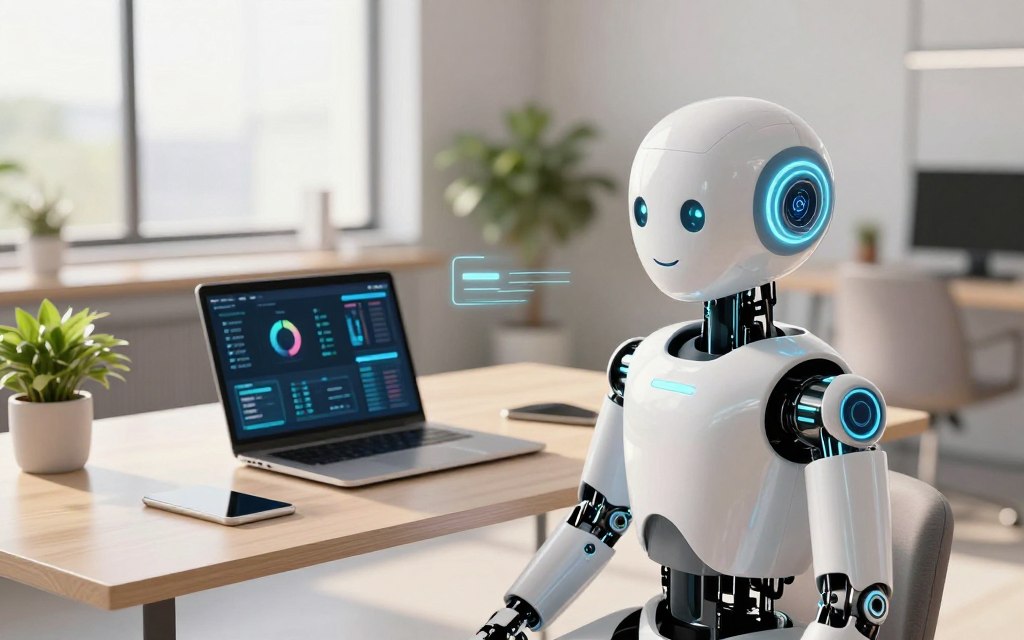
Cloud-based options like Google Assistant, Amazon Alexa, and Apple Siri work across devices. They use large compute resources. On-device assistants focus on privacy by keeping data local. Both use natural language processing to understand spoken or typed requests.
Definition and Overview of AI Personal Assistants
These systems use voice recognition and natural language understanding. They integrate with apps to perform services for individuals. A virtual assistant AI can read and draft emails, set events, run searches, and trigger smart-home scenes.
Many offer routines that automate repeated tasks with a single command.
Historical Context and Evolution
Early efforts started with rule-based personal information managers and basic speech engines in the 1990s and 2000s. Apple introduced Siri in 2011 as a mainstream mobile voice assistant. Amazon launched Alexa in 2014 with Echo and a developer ecosystem of skills.
Google followed with Google Assistant in 2016, expanding conversational reach across phones and speakers. Progress in deep learning, cloud compute, and large language models transformed these systems. They now handle multi-turn dialogue and context carryover.
Key Features of Current AI Technologies
Natural language understanding lets assistants ask follow-up questions and keep context. Integration ecosystems connect calendars, email, task managers, and third-party skills. This makes the assistant act across apps.
Voice recognition and speaker ID personalize replies and routines for different household members. Automation features support scheduled tasks, triggers, and cross-device syncing for seamless workflows.
Security measures include permission controls, authentication, and options for on-device processing. This reduces data exposure. Modern AI assistant technology uses pattern recognition to suggest actions based on behavior. It makes recommendations that save time and reduce friction.
Benefits of Using an AI Personal Assistant
Using an AI personal assistant can save you time and reduce stress. It handles tasks like scheduling meetings and summarizing emails. Many find it helps clear clutter and keeps focus on what’s important.
Improved Time Management
An AI assistant can quickly schedule meetings and check your calendar. You can use Google Assistant to add events by voice or ask Siri to make calls hands-free. It also helps you see what needs your attention right away.
Automating tasks can save hours each week. This time can be used for focused work or short breaks that increase productivity.
Enhanced Task Automation
An AI assistant can manage reminders, send responses, and connect services. For example, you can set a routine in Amazon Alexa to adjust your thermostat when you leave work. You can also connect apps to make workflows smoother.
It reduces the mental load by handling routine tasks. This lets you focus on creative work and important decisions.
Better Organization and Planning
AI tools help organize your tasks, prioritize them, and give you daily briefings. They integrate with apps like Todoist and Google Tasks, keeping your tasks in sync.
They offer suggestions and reminders to help you plan ahead. This helps avoid missed deadlines and makes managing projects easier.
| Benefit | Typical Features | Real-World Example |
|---|---|---|
| Time Savings | Voice scheduling, email summaries, calendar checks | Google Assistant adds events by voice while driving |
| Automation | Recurring tasks, templated replies, cross-app routines | Alexa routine triggers thermostat when leaving work |
| Organization | Unified task lists, daily briefings, priority sorting | Todoist syncs tasks with reminders from AI assistant software |
| Cognitive Relief | Low-value task handling, predictive reminders | Virtual assistant AI proposes follow-ups after meetings |
Popular AI Personal Assistant Platforms
Choosing the right platform depends on your devices, privacy needs, and tasks you want to automate. Each major assistant has unique strengths. Below are profiles to help you compare Google, Amazon, and Apple offerings.
Google Assistant
Google Assistant works on Android phones, Google Nest speakers, smart displays, and iOS via an app. It’s great at linking Calendar, Gmail, and Google Maps for easy scheduling and navigation. Its deep search power and contextual follow-up make it perfect for everyday queries.
It offers proactive suggestions, routines, broad smart home compatibility, and third-party Actions. If you use Google services, this assistant will fit well into your routine.
Amazon Alexa
Amazon Alexa focuses on Echo and Echo Show devices and has a vast skills ecosystem. It integrates with many smart home brands, making it flexible for multi-device setups.
Its strengths include shopping and e-commerce ties to Amazon accounts, multi-room audio, and customizable routines. For users focused on home automation and commerce, this AI assistant offers broad device support and practical extensions.
Apple Siri
Apple Siri is built into iPhone, iPad, Mac, Apple Watch, and HomePod. It excels in Apple apps like Calendar, Reminders, and Messages, thanks to tight integration and privacy-focused processing.
Siri Shortcuts create custom workflows, and continuity across devices keeps tasks moving. This voice activated assistant is great for users who value privacy and seamless Apple ecosystem experiences.
| Platform | Best For | Key Strengths |
|---|---|---|
| Google Assistant | Users of Google services | Contextual search, proactive routines, strong NLU |
| Amazon Alexa | Smart home flexibility | Large skills library, device compatibility, shopping integration |
| Apple Siri | Apple ecosystem users | On-device privacy, Shortcuts automation, device continuity |
When choosing a digital assistant AI, consider ecosystem fit, privacy, and specific workflows. Many use more than one platform. For example, a phone assistant for mobile tasks and a home speaker for smart devices.
Integrating AI Personal Assistants into Daily Life
Adding an intelligent personal assistant to your life makes tasks easier and saves time. Start with a clear setup plan. Then, pick tasks that fit your home and work life. Small habits help your virtual assistant AI become a trusted part of your day.
Setting up your assistant
First, install the app for Google Home, Amazon Alexa, or Apple Home. Sign in with your account. Then, link your calendars and email to manage schedules and reminders.
Give permissions for contacts, microphone, and location. This lets voice commands and notifications work right. Place smart speakers in central rooms for better voice recognition. Adjust audio levels to avoid misheard requests.
Enable voice match or speaker recognition where available. Add family accounts to personalize responses. Keep personal data separate.
Use cases for home and work
At home, use the assistant for timers, shopping lists, and controlling smart devices. It can also play music, remind you of medication, and alert you to packages. These tasks free up your mind.
At work, let the assistant schedule meetings, take quick notes, and set deadlines. It can also pull contact details, summarize emails, and start video calls. Use it for commute briefings, navigation, and voice notes during activities.
Best practices for effective usage
Speak clearly and use simple commands. Teach the assistant your preferred way of saying things. Create routines for tasks you do often, like a morning briefing.
Review and remove third-party skills and apps to keep your assistant secure. Backup your account and enable multi-factor authentication for safety.
Train the voice recognition and correct any mistakes often. This keeps your AI personal assistant working well.
| Task | Home Example | Work Example |
|---|---|---|
| Scheduling | Set family reminders and appointment alerts | Book meetings, check calendars, and send invites |
| Automation | Morning routine: lights, news briefing, thermostat | End-of-day summary: tasks completed and next steps |
| Hands-free help | Timers, recipes, and voice shopping lists | Transcribe notes, launch video calls, read emails |
| Privacy & maintenance | Manage family accounts and device permissions | Prune third-party apps and enable recovery options |
Customizing AI Personal Assistant Settings
Customizing your AI assistant makes it work better for you. Small changes in voice recognition, task rules, and app links can make a big difference. Follow these steps to make your assistant fit your home and work needs.
Voice match and speaker ID help your assistant give the right info to each person. Set up profiles so it knows who’s talking and gives the right answers.
Change the language, accent, and voice speed in the settings. Many AI assistants let you choose between male and female voices, accents, and speeds. This makes it more comfortable and clear for you.
Improve voice recognition by training it with prompts and phrases. Try to reduce background noise and adjust the wake-word sensitivity. This keeps your device responsive without false triggers.
Priority flags and due dates help your assistant show you what’s important. Connect tools like Todoist or Microsoft To Do. Use tags, due dates, and priority levels to sort tasks.
Enable features that highlight urgent tasks in your daily briefing. An AI assistant can suggest tasks based on your location, calendar, and deadlines. This way, you see what’s most important first.
Set rules for notifications to avoid distractions. Use quiet hours for less important messages and let only critical reminders through during focused work.
Common integrations include Google Calendar, Microsoft Outlook, Gmail, Evernote, Apple Notes, Todoist, Asana, Philips Hue, and Nest. Linking these accounts lets your assistant manage information smoothly.
Most platforms use OAuth for secure linking. Follow the prompts to grant access without sharing passwords. This keeps your data safe while allowing calendar reads, email summaries, and task updates.
Use tools like IFTTT or Zapier for more complex workflows. Native automation, like Shortcuts on iOS or Google Routines, can run actions with a single command from your AI assistant.
Below is a quick comparison to help choose settings and integrations based on common goals.
| Goal | Recommended Setting | Best Integrations |
|---|---|---|
| Personalized responses | Enable voice match; create user profiles | Google Assistant, Apple Siri |
| Task focus and urgency | Use priority flags and daily briefings | Todoist, Microsoft To Do, Asana |
| Secure cross-app access | Link accounts via OAuth; review permissions | Gmail, Outlook, Google Calendar |
| Custom automations | Create Shortcuts, Routines, or IFTTT/Zapier flows | Shortcuts, Google Routines, Zapier, IFTTT |
| Smart home control | Assign favorite devices and voice commands | Philips Hue, Nest |
AI Personal Assistants in Different Industries
AI tools are changing how professionals work in many fields. An artificial intelligence assistant can do routine tasks, letting teams focus on strategy and care. Here are some examples of how AI is making a difference in healthcare, business, and education.
Healthcare Applications
Hospitals use AI assistants to manage patient schedules and send reminders about medication. This helps reduce missed appointments and improves care plan adherence.
Clinicians use voice-assisted tools for charting and telehealth triage. This speeds up documentation. Epic’s voice tools and other platforms make it easier to work with electronic health records.
Using an AI personal assistant in healthcare needs strict HIPAA rules and secure setup. It’s important to protect privacy, keep data safe, and get clear consent before starting.
Business and Project Management
Teams use a virtual assistant AI for scheduling meetings, taking minutes, and following up. Otter.ai and Microsoft Teams Copilot automatically summarize calls, saving time.
Sales and CRM tasks get faster with an AI assistant updating records and setting reminders. Integrations with Salesforce and HubSpot cut down on manual work and keep pipelines up to date.
Managers see better collaboration, less administrative work, and faster decisions with AI assistants handling routine tasks.
Education and Learning Support
Students use AI assistants for study reminders, flashcards, and research help. Voice-enabled apps and Google Classroom integrations make learning accessible on any device.
AI assistants help with language practice and provide accessibility for students with disabilities. They offer personalized learning paths and on-demand tutoring to help students grasp core concepts.
Schools use AI to create tailored study plans and quick answers for common questions. This boosts engagement and meets diverse learning needs.
Addressing Privacy and Security Concerns
Using an AI personal assistant is a trade-off between convenience and privacy. It’s important to understand how companies protect your data. You should also know what controls you have and how open vendors are about their AI use. Making informed choices helps reduce risks and builds trust in digital assistants.
Data Protection Measures
Top companies encrypt your data when it’s sent and stored. Google, Amazon, and Apple use strong encryption for your voice and activity logs. They also offer strong passwords and multifactor authentication to protect your AI assistant software account.
Some devices process your queries locally. This means less data is sent to the cloud. You can delete your voice recordings and activity history from your account dashboard.
Vendor controls vary. Amazon lets you set Alexa privacy settings to block recordings and disable skills. Google’s My Activity dashboard shows what’s stored and lets you remove entries. Apple focuses on on-device processing for Siri and lets you control shared data.
User Consent and Control
Having fine-grained permission settings is key. Only give access to features you need, like microphone or contacts. Check and revoke app permissions you no longer use.
Revoke third-party skills or integrations that ask for too much access. Regularly check linked services to prevent data exposure.
Use family and guest modes on shared devices. This limits access to personal data like calendars and messages. It keeps your household’s private information separate.
Transparency in AI Operations
Choose providers that clearly explain how they use your data. Privacy policies and summaries help you decide which AI assistant to trust.
Look for AI features that explain their decisions. This clarity reduces surprises and helps you spot errors or bias.
Audit third-party skill developers before enabling integrations. Pick well-known, trusted apps for sensitive tasks like banking or healthcare access with an AI assistant software platform.
| Privacy Topic | What to Check | Major Provider Example |
|---|---|---|
| Encryption | Encryption in transit and at rest; key management | Google Cloud and Apple iCloud use strong encryption standards |
| On-device Processing | Whether voice data is processed locally or sent to cloud | Apple emphasizes on-device processing for many Siri tasks |
| Account Security | MFA, strong passwords, security alerts | Amazon and Google support MFA and security notifications |
| Data Deletion | Options to delete voice recordings and activity logs | Google My Activity and Alexa privacy tools allow deletions |
| Permissions | Granular microphone, contacts, calendar, location controls | Android, iOS, and smart speaker apps expose permission controls |
| Third-party Skills | Developer vetting and permission review | Amazon lists skill permissions; audit before enabling |
| Transparency | Clear policies and explainable AI features | Vendors publish privacy summaries and developer guidelines |
Future Trends in AI Personal Assistance
The next big thing in AI will make our conversations feel more natural. Large language models and multimodal systems will remember our past talks. They will link voice, text, and images, and finish tasks with fewer commands.
Machine learning will make assistants act before we even ask. They will use our calendars, location, and past actions. This way, they can suggest things like rescheduling meetings or getting ready for travel.
Hybrid models will improve speed and privacy. They will do some work on our devices and some in the cloud. This balance will make our assistants faster and keep our data safe.
Advancements in Machine Learning
We can expect better intent detection and longer memory. Tools from OpenAI, Google, and Meta will improve how assistants understand us. This will lead to fewer mistakes in our conversations.
These assistants will also learn to fit specific industries. They can help in medical triage, legal work, or even with creative writing.
Integration with IoT Devices
AI assistants will work better with smart homes, wearables, and cars. They will manage energy, track health, and optimize our commutes. This is thanks to real-time traffic data.
Standards like Matter will make it easier for different devices to work together. This means our assistants can control devices from Nest, Philips Hue, and Samsung with less hassle.
Expanding Applications in Everyday Life
Assistants will help with personal finance, mental health, and caring for the elderly. They will also offer personalized learning paths and entertainment based on our mood and history.
Designs will focus on multi-agent systems. These systems will have specialized agents for tasks like email, scheduling, or research. This way, our assistants can handle more without getting overwhelmed.
Ethical and regulatory changes will guide how we use AI. We can expect clearer rules on data use, transparency, and accessibility. This will ensure AI assistants are fair and safe for everyone.
Comparing AI Personal Assistants to Human Assistants
Busy professionals often face a choice between AI personal assistants and human helpers. The decision depends on cost, availability, and the type of task. This comparison shows when AI tools are best and when humans are needed.
Cost Efficiency and Accessibility
AI assistant software is often cheaper than hiring people. It comes with devices or cloud plans from Google, Amazon, and Microsoft. This makes it affordable for startups and freelancers.
AI tools work all the time. They handle scheduling, reminders, and quick searches on many devices. This makes them more accessible than a single human assistant.
Limitations of AI vs. Human Intelligence
AI assistants struggle with real empathy and complex judgment. They can misunderstand tone or context and rely on their data. This leads to mistakes in situations that need creativity or ethical thinking.
Human touch is key for complex negotiations and emotionally charged interactions. People are better at reading body language, building trust, and adapting to changing priorities. AI tools can’t match this yet.
Situations Where Human Assistance is Preferable
High-stakes decisions, sensitive negotiations, and personal client relationships need humans. For complex project coordination and confidential matters, trust and discretion are crucial. Human judgment protects long-term relationships and reputations.
A balanced approach works best. Use AI for repetitive, time-consuming tasks. Reserve humans for strategy, relationship management, and creative problem-solving.
Conclusion: The Future of Productivity with AI Personal Assistants
AI personal assistants are changing how we work and live. Start by enabling a few automations. Set up daily briefings or let an AI handle your calendar.
These simple steps free up time for more important tasks. They also help balance work and life when used wisely.
Technology is always getting better. Digital assistants from Google, Amazon, and Apple are learning more and working with more devices every year. Keep an eye out for updates and add new skills carefully.
Also, make sure to protect your privacy as these features grow. Use an intelligent personal assistant to automate routine tasks. But always keep human oversight for important decisions and sensitive data.
Choose an assistant that fits your device ecosystem. Configure permissions and check results often. Treat your digital assistant AI as a partner that gets better with time and customization.