
Advertisement
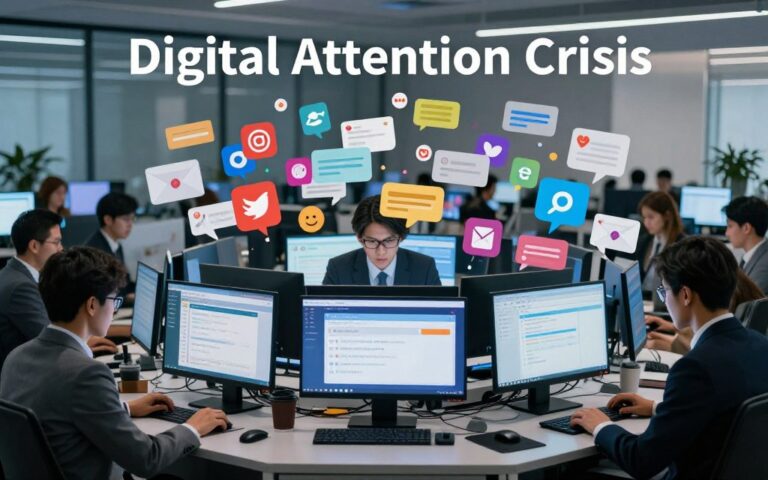
Americans now spend more than 7 hours a day on screens outside of work. This is a clear sign of how common technology fatigue signs have become.
This short introduction will help you, whether you work in an office, remotely, are a student, parent, or professional. It will help you spot early digital burnout symptoms and tech overload warning signals before they get worse.
Knowing the signs early can prevent chronic stress, sleep disruption, and drops in job performance. Later sections will outline a clear checklist, simple self-assessments, and practical strategies you can use today.
The tone is friendly and evidence-based: expect actionable steps rather than alarm. If you’ve felt short-tempered after long Zoom days, struggled to focus on emails, or lost sleep to late-night scrolling, these pages will show when a digital reset is due and how to start one.
Understanding Technology Fatigue

Technology fatigue is feeling tired from using devices and being online too much. It’s like digital burnout but not the same. It happens because of how we use technology every day.
Feeling tired doesn’t always mean you’re clinically burned out or depressed. You might feel digital burnout before or after other mental health issues. If you’re really struggling, talk to a doctor or therapist.
Definition of Technology Fatigue
Technology fatigue is feeling tired after using phones, laptops, and tools like Zoom and Slack. You might feel unmotivated, impatient, and overwhelmed by notifications. These signs can help you catch technology fatigue early.
How Common Is It?
More people in the U.S. are spending time on screens. Studies by Pew Research Center and the American Psychological Association show more digital stress and fatigue. Young adults and those working from home often feel the strain more.
Causes of Technology Fatigue
Many things can cause technology fatigue. Long screen time, multitasking, and constant alerts can be overwhelming. Working too much and poor posture also play a part.
Work policies and social media can add to the stress. Being expected to work fast and always being online can be tough. Comparing yourself to others on social media can make it worse.
Here are some common signs of technology fatigue:
- Persistent tiredness after screen use
- Rising irritability and impatience
- Difficulty concentrating on tasks
- Sleep disruptions linked to evening device use
- Lowered work satisfaction and motivation
Signs You May Be Experiencing Technology Fatigue
Many people feel worn down by constant tech use before they realize it. Spotting the early tech overload warning signals helps you act before habits become entrenched. Below are common clues that point to digital strain and what to watch for over a one- to two-week check period.
Increased irritability often shows up as short temper with coworkers, partners, or family after repeated interruptions. Notification noise, slow apps, and buffering video can spark frustration. This mood shift ties closely to poor sleep and extra caffeine, which together magnify technology fatigue signs.
Difficulty concentrating grows from frequent app switching and partial attention. Cognitive research on multitasking shows switching costs that slow you down and raise errors. You might find yourself rereading emails, losing track in meetings, or struggling to finish reports.
Decline in productivity looks like longer completion times, missed deadlines, and lower-quality work. Many people mistake busyness for output, thinking more online hours mean more done. Employers may see fewer billable hours, reduced KPIs, and a rise in mistakes when screen time exhaustion indicators are present.
Quick self-check pointers help track patterns instead of one-off bad days. Count interruptions per hour. Note how many browser tabs stay open. Time how long it takes to refocus after a notification. Tracking these things for 7–14 days clarifies whether you face true technology fatigue signs or just a hectic week.
| Symptom | Practical Example | Simple Metric to Track |
|---|---|---|
| Increased irritability | Snapping at a teammate after repeated pings | Number of frustrating tech incidents per day |
| Difficulty concentrating | Rereading the same paragraph or losing place in meetings | Average minutes to return to task after interruption |
| Decline in productivity | Missing deadlines or producing more errors than usual | Change in billable hours or KPI scores over two weeks |
| Screen time exhaustion indicators | Feeling drained after routine device use | Daily total screen hours and number of open tabs |
| Tech overload warning signals | Persistent stress when devices are near | Frequency of anxious responses to notifications |
Physical Symptoms of Technology Fatigue
Long hours in front of screens can affect your body before your mind. Knowing the physical signs helps you take action early. This way, you can tackle screen time exhaustion, technology fatigue, and digital burnout before they get worse.
Eye Strain and Discomfort
Digital eye strain, or computer vision syndrome, can cause dry eyes, blurred vision, and sore eyes. These issues come from focusing too long on screens, not blinking enough, glare, and screens that are too close or too high.
Try the 20-20-20 rule: every 20 minutes, look at something 20 feet away for 20 seconds. Adjust your screen’s brightness and font size when needed. Anti-glare filters and softer room lighting can also help reduce eye strain.
Headaches and Migraines
Long screen time and bad posture can lead to tension headaches. Eye strain and forward head posture tighten neck and shoulder muscles, making pain worse.
Blue light and irregular sleep patterns can trigger migraines in some people. To help, set your chair and monitor height so the screen is at eye level. Keep your keyboard close and try standing or taking micro-breaks to reduce muscle strain.
Poor Sleep Quality
Using devices at night and blue light can mess with melatonin production, making it hard to fall asleep. The brain stays awake after intense scrolling or work emails, making it hard to relax.
Poor sleep can lead to fragmented nights, shorter sleep, feeling tired during the day, and weaker memory. To sleep better, set a device curfew, use night mode or blue light filters, and avoid work emails an hour before bed.
If you have ongoing vision problems, see an ophthalmologist. If headaches don’t go away with basic fixes, see a doctor or neurologist to check for other causes.
| Symptom | Common Causes | Immediate Steps |
|---|---|---|
| Dry, sore, or blurred eyes | Reduced blink rate, glare, close viewing distance | 20-20-20 rule, anti-glare filters, adjust brightness and font size |
| Tension headaches or migraines | Poor posture, eye strain, blue light, disrupted sleep | Ergonomic setup, micro-breaks, monitor at eye level, standing intervals |
| Poor sleep and daytime tiredness | Nighttime device use, blue light, late cognitive stimulation | Device curfew, night mode, avoid work emails before bed |
| Worsening concentration and memory | Interrupted sleep, ongoing screen time exhaustion indicators | Limit evening screen use, prioritize sleep hygiene, seek medical advice if persistent |
Emotional Symptoms of Technology Fatigue
Too much screen time can affect your mood in unexpected ways. Look out for mood swings, growing impatience, and feeling overwhelmed. Spotting these signs early can help prevent them from becoming worse.
Feelings of Overwhelm
Too many alerts, emails, and tasks can overwhelm you. Cognitive load theory says too much info makes it hard to think and feel. When your mind is busy, even small issues seem huge.
Signs include trouble finishing tasks, avoiding decisions, or feeling constantly behind. These are signs of too much input, not a lack of effort.
Increased Anxiety Levels
Always being connected can make you anxious. The need for quick responses increases anxiety and fear of missing out. Studies show too much social media can harm your mood, making you feel worse when you compare yourself to others.
Be aware if you worry more after checking social media or replay messages. These are signs of digital burnout you should watch for.
Social Withdrawal
Being online a lot can make you want to stay away from people. Feeling tired, irritable, or uninterested in social events can make them feel like a chore.
Look out for avoiding social events, shortening conversations, or preferring texts over calls. These actions can hurt your friendships and work relationships over time.
If anxiety or withdrawal starts to affect your life, get help. The American Psychological Association can help you find professional support and local resources for mental health care.
Impact of Technology Fatigue on Work Performance
When employees show signs of technology fatigue, workplaces suffer. Daily interruptions and constant alerts cut down on deep work time. Teams miss out on the quiet moments needed for new ideas and careful planning.
Constant stimulation and little downtime hurt creativity. Studies in organizational psychology show that rest and offline thinking boost creativity. Without breaks, workers can’t connect distant ideas and come up with new solutions.
Team collaboration becomes harder with divided attention. Delayed responses, misread emails, and broken threads lead to miscommunication and duplicated work. Remote teams miss out on spontaneous ideas from hallway chats, and too many meetings take away focus time.
Over time, more people start taking sick days or mental health leave. This leads to lost productivity, hiring, and training costs. Some companies see better retention after introducing no-meeting days and email-free weekends.
Managers should look out for signs like lower quality work, more errors, and less participation in brainstorming. Spotting these signs early helps leaders adjust workloads and protect recovery time.
Tracking digital burnout symptoms alongside work performance helps make a case for change. Small changes in policies can help restore focus, improve teamwork, and reduce absenteeism.
The Role of Social Media in Technology Fatigue
Social platforms shape how we spend our time and energy. Sites like Facebook, Instagram, TikTok, X, and LinkedIn use notifications to keep us coming back. This can show signs of online fatigue before we even realize it.
Constant Notifications and Distractions
Apps give us small rewards like likes and comments. These rewards make us check our phones more often. Research shows this can make it hard to focus deeply and can scatter our concentration.
To fight this, mute nonessential alerts and check social media at set times. Turn off push notifications for apps that aren’t critical. These steps can help us focus better and reduce screen time exhaustion.
Comparison Culture and Its Effects
Instagram and TikTok show us perfect moments. This can make us feel bad about ourselves and our lives. Studies show that too much social media can lead to depression and lower happiness in some people.
Choose to follow people who inspire you, not bring you down. Try to limit mindless scrolling and focus on creators who share real-life stories. This can help reduce feelings of technology fatigue caused by negative comparisons.
The Pressure to Stay Connected
Being connected through work and personal messages can feel overwhelming. LinkedIn updates, messages, and group chats can feel like never-ending tasks. This constant need to respond can make us feel anxious and tired of technology.
Focus on quality over quantity in your interactions. Set specific times for checking messages and use auto-replies when you need to concentrate. Also, tell your colleagues and friends about your boundaries. These small steps can help you spot and deal with online fatigue before it gets worse.
- Mute nonessential notifications
- Curate feeds to reduce negative comparisons
- Limit passive scrolling and set checking windows
- Prioritize meaningful interactions over quantity
How to Recognize When It’s Time for a Digital Detox
Feeling tired after a day online is common. Look for patterns that last more than two weeks. Mood swings, bad sleep, or poor work quality are signs of deeper issues.
Signs that Indicate a Need for a Break
Watch for constant irritability, trouble focusing, headaches, or waking up at night. Avoiding social events, missing deadlines, or poor productivity are also warning signs. Don’t ignore patterns of symptoms.
Tracking Device Usage
Use tools like iOS Screen Time or Android Digital Wellbeing to track your use. Look at app minutes, unlocks, and notifications. Weekly reports can show trends linked to your mood or sleep.
- Record average daily screen time for a week.
- Note number of device unlocks each day.
- Track night-time activity and app spikes before bed.
Methodologies for Self-assessment
Try short questionnaires to assess stress and burnout. Keep a journal for triggers, symptoms, and sleep changes. Set baseline metrics for screen time, meetings, and mood.
Try a 24- or 48-hour phone-free trial or pause social media. Compare your mood, focus, and sleep to your baseline. Small tests show if tech use affects you.
Seek help right away if you have suicidal thoughts, severe anxiety, or a big drop in function. These signs need urgent medical help.
Strategies to Combat Technology Fatigue
Small, deliberate changes can reduce digital strain and help us focus better. Here are some steps teams and individuals can take to spot technology fatigue signs early. By using these strategies together, you can see better results.
Setting Boundaries Around Tech Use
Set clear email response times and stick to them. Teams that limit messages after hours set healthier expectations. This reduces screen time exhaustion.
Turn off nonessential notifications and use “do not disturb” blocks during deep work. Managers who set boundaries help employees work regular hours.
For parents, set family tech rules and make meals device-free. Use status messages to show when you’re available. This cuts down on online fatigue red flags.
Integrating Mindfulness Practices
Try short grounding techniques to lower alert reactivity. Five-minute breathing exercises between meetings can calm your nervous system and sharpen your attention.
Use body-scan breaks and micro-mindfulness prompts during the workday. Apps like Headspace and Calm offer guided routines that fit into busy schedules.
Teach teams to pause before replying to urgent messages. This small habit reduces stress and keeps screen time exhaustion indicators from escalating.
Scheduling Regular Tech-Free Time
Start the day phone-free for the first hour and create a device curfew before bed. These steps improve sleep and cut down on online fatigue red flags.
Try a weekly digital sabbath or a weekend with limited connectivity. Plan gradual reductions to avoid rebound stress and keep productivity steady.
Maintain output while reducing tech use by batching tasks, using timers like the Pomodoro technique, and prioritizing deep work blocks.
Benefits of a Digital Reset
Stepping away from screens can greatly improve your thinking, mood, and daily life. Even small changes in how you use devices can help reduce digital burnout. You might notice signs of technology fatigue that you hadn’t seen before.
Enhanced Mental Clarity and Focus
With fewer distractions, you can focus better. Studies show that less switching between tasks leads to faster work and better decisions. People often complete tasks more quickly and remember details better after limiting notifications.
Creativity also gets a boost. The brain can hold onto ideas longer and mix them in new ways. You might find deep work sessions easier and less tiring after a reset.
Improved Emotional Well-being
Regular breaks from tech can lower stress and anxiety. Better sleep comes when you cut back on screens before bed. Sleep helps improve your mood.
Emotional control gets easier when alerts aren’t constant. People often feel steadier and less irritable after setting device limits. These benefits grow with consistent habits over time, improving relationships and resilience.
Reconnecting with Offline Interests
Time away from screens opens up for hobbies and face-to-face interactions. Activities like reading, walking, cooking, volunteering, or meeting friends support mental recovery.
Exercise and nature walks help speed up mental recovery. Meeting people in person helps rebuild social skills. Many find joy and meaning in offline activities again.
Results vary: some see sleep and clarity gains in days. Habit and relationship benefits build over weeks to months. As you notice tech overload warning signals less, healthy routines become more established.
| Benefit | Typical Early Signs | Timeframe |
|---|---|---|
| Faster task completion | Less task-switching, fewer interruptions | Days to 2 weeks |
| Better memory retention | Improved recall after focused work | 1–3 weeks |
| Reduced anxiety | Fewer reactive moods, calmer evenings | Days to several weeks |
| Improved sleep quality | Easier sleep onset, deeper rest | Within a week |
| Renewed hobbies and social life | More time for reading, walking, meetups | Weeks to months |
| Clearer warning recognition | Spotting tech overload warning signals earlier | Immediate to ongoing |
| Self-awareness of limits | Noticing digital burnout symptoms sooner | Weeks |
Tools and Resources for Managing Technology Fatigue
Finding the right mix of apps, techniques, and reading helps people spot and manage technology fatigue signs before they worsen. Use practical tools to track habits, learn calming practices, and read evidence-based guides that explain why limits matter.
Apps for Screen Time Tracking
iOS Screen Time and Android Digital Wellbeing are built into phones and show daily use, set limits, and schedule downtime. RescueTime runs on desktop and mobile to log productivity and block distracting sites. Moment and Forest encourage mindful phone use: Moment reports session lengths while Forest rewards focused time with a growing virtual tree.
Freedom blocks apps and sites across devices for scheduled focus sessions. For workplaces, Microsoft MyAnalytics and Google Workspace usage reports reveal meeting load, email habits, and team time sinks so leaders can address screen time exhaustion indicators at scale.
Techniques for Mindfulness and Relaxation
Short practices lower stress and reduce online fatigue red flags. Breathwork calms the nervous system with simple inhale/exhale patterns. Progressive muscle relaxation releases tension from head to toe in minutes. Guided imagery and brief body scans restore focus between tasks.
Apps such as Headspace, Calm, and Waking Up by Sam Harris offer guided sessions for beginners and advanced users. Free resources like UCLA Mindful Awareness Research Center provide short guided meditations and podcasts that fit into a work break.
Recommended Books and Articles
Read evidence-based books to build long-term habits. Digital Minimalism by Cal Newport offers a framework for reducing digital noise. How to Break Up with Your Phone by Catherine Price gives a practical plan for changing phone habits.
Supplement books with research and reporting from Pew Research Center on tech use, APA articles on technology and mental health, and Harvard Business Review pieces on attention management and remote work best practices.
Using Resources Responsibly
Try free trials before subscribing to paid apps. Tailor techniques to your preferences and combine tracking tools with behavioral changes for best results. Keep checking for screen time exhaustion indicators and online fatigue red flags so adjustments stay relevant to daily life.
Case Studies: Real-Life Experiences with Technology Fatigue
Real people and organizations have shared their stories about technology fatigue. They talk about signs and how they handled it. These stories offer insights for teams and individuals to adopt healthier tech habits.
Employee Perspectives on Burnout
Staff from various industries have spoken up about their struggles. They mention tight deadlines, endless messages, and too many meetings. These factors have hurt their focus and mood.
Reports from human resources and media show employees taking sick days and longer leaves. This is due to digital burnout.
Companies like Microsoft and Salesforce have started new programs. They offer flexible hours and days without meetings. Many firms have also added mental health benefits, including counseling and apps to track screen time.
Stories from Remote Workers
Remote and hybrid workers often face similar challenges. They talk about blurred lines between work and personal life, constant expectations, and meeting fatigue. Surveys from Gallup and Pew show they experience more digital fatigue.
Common solutions include having a dedicated workspace and clear start and end times. Setting rituals for the workday can also help. These small changes have improved focus for many.
Insights from Mental Health Professionals
Clinicians from the American Psychological Association and other sources suggest screening for anxiety and depression. They emphasize the importance of sleep, cognitive-behavioral techniques, and device curfews.
Therapists suggest gradual exposure to less connectivity and structured tasks. They help rebuild tolerance for offline time. If symptoms don’t improve, seeking therapy is advised to address mood or anxiety disorders.
Lessons Learned
Three key lessons emerge from these stories. They highlight the need for policy changes, setting personal boundaries, and leaders modeling healthy tech habits. These steps have helped reduce tech overload and early signs of technology fatigue.
Conclusion: Prioritizing Well-being in a Digital World
Life online offers tools for work and connection, but it also has downsides. Spotting technology fatigue signs early is key. Use tools to track your screen time and apply strategies to lessen its impact.
Notice signs like constant irritation, foggy thinking, or sleep issues. These are red flags for online fatigue. Catching these early can help prevent bigger problems.
Try a 7-day experiment to track your screen time. Use built-in tools on your phone to log how much time you spend online. Set a device curfew or a daily no-meeting time.
See how it affects your focus, mood, and sleep. Share your plan with a manager or family member. This can help create healthier digital habits at work and home.
Small, consistent changes can lead to big benefits. Find a balance that fits your life and job. If problems persist, talk to a doctor or mental health professional.
With careful adjustments, you can reset your digital life. This can improve your focus, sleep, and relationships. And you can still enjoy the benefits of modern technology.