

Advertisement
Americans spend almost 7 hours a day on screens. This is as much time as they sleep and work. It shows why digital wellbeing habits are crucial today.
This guide gives you practical tips to balance your digital life. It’s based on research from top organizations. You’ll learn how to improve sleep, reduce stress, and focus better.
By following these tips, you can feel less stressed, sleep better, and focus more. You’ll also connect more with people offline. We cover individual and family strategies, apps, and tools for lasting change.
The advice is easy to follow and doesn’t judge you. Start using these digital wellbeing habits today. They’re designed to fit into your life and help you build a healthier routine step by step.
Understanding Digital Wellbeing and Its Importance
Digital life changes how we work, learn, and connect. Finding a balance between good tech use and bad habits is key to staying healthy. This section explains what digital wellbeing is, its benefits, and common challenges.
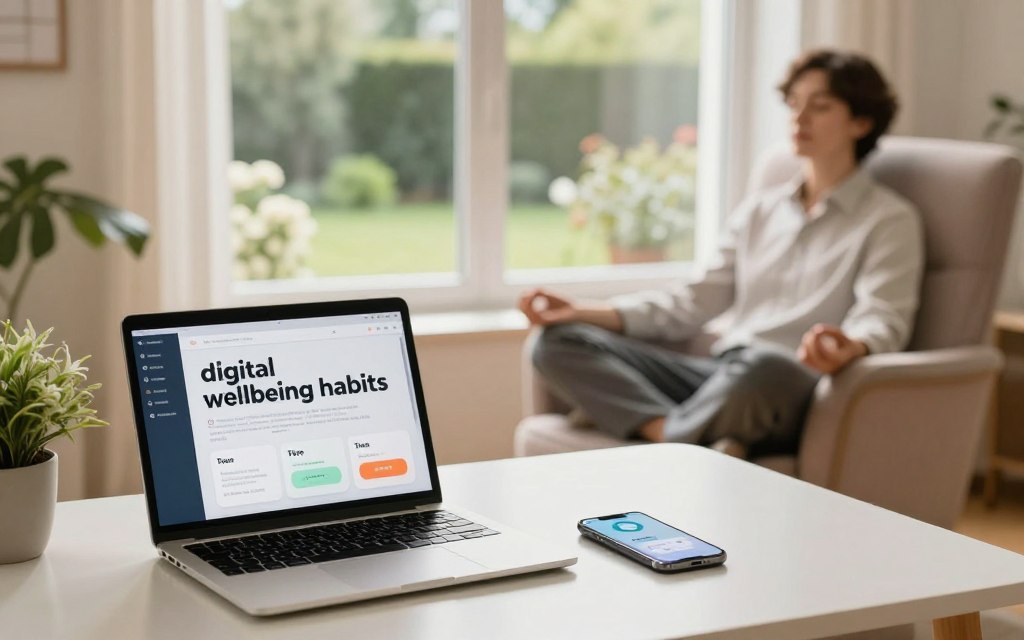
Defining digital wellbeing
Digital wellbeing is about using technology in a way that supports our well-being. Groups like the Center for Humane Technology and the American Psychological Association offer guidelines. They help us tell good tech use from bad.
Good tech use helps us work, learn, and connect. But bad habits like compulsive checking and disrupted sleep are harmful. Knowing the difference helps us choose better tools and practices for our lives.
Benefits of practicing digital wellbeing
Reducing social media use can lower anxiety and depression, studies show. Limiting screen time before bed improves sleep. This leads to better rest and more energy.
Doing one thing at a time improves focus and productivity. Taking breaks from screens strengthens relationships and reduces eye strain. Digital wellbeing habits can make us more attentive and comfortable.
Common challenges in digital wellbeing
Smartphones and constant connectivity make it hard to disconnect. Platforms use tricks like infinite scroll to keep us engaged.
Working from home can mix work and personal life. Social pressure and fear of missing out make it hard to log off. Many don’t know how to protect their privacy or find mental health tools online.
Understanding these challenges shows why good cyber wellness practices and digital habits are important. We’ll explore these further in the next sections.
The Role of Technology in Daily Life
Technology changes how we work, learn, and connect with others. It gives us tools to be more productive and access lots of information. But, it can also distract us with endless scrolling and fragment our attention.
The Impact of Social Media
Social media has two sides: it connects us and spreads information, but it also leads to comparison and false news. Studies from 2020 to 2023 found that too much social media can harm well-being, mainly for the young.
Algorithms make us check our phones more by rewarding engagement. But, we can change this by curating our feeds and following positive content. This helps us manage our screen time better.
Positive uses of social media include activism, professional networking, and learning from creators. These uses show how we can use technology wisely, avoiding its negative effects.
Screen Time Statistics in the United States
Adults in the U.S. spend a lot of time on screens, with teens using even more. Most of this time is spent on smartphones, streaming, social media, work, and gaming.
Younger people and city dwellers tend to use screens more. Since COVID-19, remote workers have also increased their screen time. But, after the pandemic, people have started to find a balance between old and new habits.
| Metric | Typical Daily Hours | Primary Devices | Key Demographic Notes |
|---|---|---|---|
| Average adult screen time | 6–8 hours | Smartphone, laptop, TV | Higher for remote workers |
| Average teen screen time | 8–10 hours | Smartphone, tablet, gaming consoles | More social media and streaming |
| Social media daily use | 1.5–3 hours | Smartphone | Peaks in 18–29 age group |
| Streaming video | 2–3 hours | Smart TV, tablet | Strong urban adoption |
| Work-related screen time | 3–5 hours | Laptop, desktop | Higher for hybrid and remote jobs |
These numbers highlight how diverse and widespread screen use is. They encourage us to find ways to use technology wisely, as discussed later in the article.
Building Healthy Digital Habits
Good routines make tech feel useful, not overwhelming. Start with small changes that fit your day. Use practical tools and clear rules to turn intention into habit. These moves support digital wellbeing habits and offer simple technology self-care tips for lasting change.
Setting Screen Time Limits
Set daily caps for nonwork apps and track progress with Apple Screen Time, Google Digital Wellbeing, or RescueTime. Start with a modest reduction and cut back app-by-app. Distinguish work from leisure so limits do not interfere with job tasks.
Use device passcodes, downtime schedules, and an accountability partner to enforce limits. Research shows less recreational screen time improves mood and sleep. Healthy screen time management reduces evening stimulation and aids recovery.
Managing Notifications Effectively
Sort alerts by importance and mute nonessential ones. Use notification triage: set priority contacts and batch-check messages twice or three times per day. This reduces interruptions and mental clutter.
Try iOS Focus modes, Android Do Not Disturb schedules, and email filters in Gmail or Outlook. Tell colleagues your response window and use Slack or Microsoft Teams status indicators to set clear expectations.
Choosing Quality Content
Follow creators and outlets that inform, uplift, or teach. Unfollow feeds that trigger stress or constant comparison. Curate playlists, newsletters, and trusted news like The New York Times, NPR, or the Associated Press to streamline what you see.
Subscribe to subject-specific feeds for health, finance, or hobbies. Limit sensationalist or highly partisan sources to reduce emotional reactivity. These choices lower friction and help build durable digital wellbeing habits.
Practical takeaway: combine caps, notification rules, and content curation into a weekly routine. Small, consistent steps create solid habits in healthy screen time management and provide clear technology self-care tips you can follow every day.
Mindful Consumption of Digital Media
Daily news, messages, and alerts can overwhelm us. Mindful consumption helps sort out what’s important. Simple habits can protect your focus and reduce stress while keeping you informed.
Understanding Information Overload
Information overload happens when your brain gets too much digital input at once. News feeds, emails, and notifications ask for quick decisions. This can lead to decision fatigue and shorter attention spans.
Studies in cognitive science reveal our attention has limits. Trying to do many things at once can fragment deep work and increase anxiety. You might find it harder to prioritize tasks or notice more mistakes when you’re overloaded.
Techniques for Mindful Consumption
Start by focusing on one task at a time. Set aside specific times for reading and social media to keep your focus. Before opening apps, ask yourself why you’re doing it and what you hope to achieve.
Try the 20/20/20 rule to reduce eye strain and refocus: every 20 minutes, look at something 20 feet away for 20 seconds. Combine this with short breathing breaks or a quick body scan to clear your mind.
Do a monthly review of your content. Check your followed accounts, newsletters, and notifications. Remove sources that don’t add value and keep your feeds focused on your goals.
Use mindfulness techniques like guided meditations from Headspace, Calm, or Insight Timer before diving into work. These practices help you stay focused and choose your content wisely.
Adopt cyber wellness practices in your daily routines. Set boundaries for your devices, curate your notifications, and dedicate time for deep work. These steps can reduce stress and free up time for offline activities.
| Practice | Action | Benefit |
|---|---|---|
| Single-tasking | Time-block one activity for a set period | Improves concentration and quality of work |
| Intention-setting | State a clear purpose before opening an app | Reduces impulsive scrolling and saves time |
| 20/20/20 Rule | Every 20 minutes gaze 20 feet away for 20 seconds | Relieves eye strain and refreshes focus |
| Content Audit | Monthly review and prune of follows and subscriptions | Improves feed quality and lowers information load |
| Mindful Pauses | Short breathing or guided meditations before sessions | Calms the mind and primes deep attention |
| Digital Balance Techniques | Set device-free periods and curated notification rules | Creates space for meaningful offline activity |
Strategies for Reducing Screen Time
Reducing device use starts with simple steps. These strategies use tools and lifestyle changes. They help with digital detox, managing screen time, and self-care.
Engaging in Offline Activities
Replace scrolling with activities that improve mood and focus. Try walking, joining a team sport, or taking a yoga or art class. Reading books and gardening help reduce screen time and improve attention.
Start with a small goal, like walking in the evening three times a week. Volunteering or cooking with friends strengthens real-life connections more than online interactions.
Creating a Tech-Free Zone
Make some areas of your home device-free. Bedrooms and dining tables are common choices. Keeping phones out of the bedroom helps sleep.
Eating without screens makes meals more mindful and family interactions clearer. Use a basket or charging station outside bedrooms. Set a routine where everyone drops off devices in a common area at certain times.
Scheduling Device-Free Hours
Set times without screens, like the first hour after waking or before bed. These breaks help your brain recover from constant alerts.
At work, create focus hours and tell coworkers about your email breaks. Try weekend challenges or short digital detoxes to recharge.
Small, consistent steps help reduce device use. Use these tips to build momentum and restore balance without big changes.
Incorporating Breaks for Mental Health
Short, planned breaks help keep your focus and mood up during long work sessions. Our brains have natural cycles of attention and distraction. Taking regular breaks prevents mental fatigue, reduces eye strain, and lowers stress.
These breaks refresh your mind and help you tackle tasks with a clearer head.
The Importance of Regular Breaks
Studies on the Pomodoro technique show that breaks improve productivity. Short breaks refresh your brain and protect your memory. Longer breaks after long work sessions boost mood and resilience.
Standing, moving, or getting natural light quickly reduces eye strain and boosts blood flow. Mental benefits come when breaks stop negative thoughts and lower stress hormones.
Techniques for Effective Breaks
Use set times like 25/5 or 50/10 for breaks. Mix breaks with movement like stretching or a short walk. These small actions help refocus without disrupting your work.
Try to avoid screens during most breaks. Use apps like Stretchly or Stand Up! to remind you to move. Short meditations from Headspace or Calm offer quick emotional resets and teach mindfulness.
Combine different techniques for the best results. Try a mix: 25 minutes of work, five minutes of stretching, and a short walk after four cycles. Over time, these habits build resilience and improve focus.
Promoting Digital Wellbeing in Families
Families that limit their tech use grow closer and feel calmer. Simple rules and goals help everyone understand what’s healthy. Small steps lead to lasting habits that improve sleep, focus, and communication for all.
Setting Family Digital Boundaries
Make a family media plan based on the American Academy of Pediatrics advice. Agree on device times, content limits, and bedtime routines. Let teens and younger kids help set rules so they understand the reasons and consequences.
Limit gaming hours, enforce a phone-free homework rule, and use parental controls like Apple Screen Time or Google Family Link. Keep rules clear, consistent, and update them as kids grow to support digital wellbeing habits.
Encouraging Device-Free Family Time
Make time for device-free moments like screen-free dinners, weekend outings, board game nights, and shared reading. These moments improve conversation skills and reduce stress.
For trips, pack a family media kit with books, puzzles, and offline activities. Agree on limited social media posting while traveling to stay present. These tips help everyone recharge and connect.
Educating Children about Digital Responsibility
Teach privacy basics, how to spot misinformation, respectful online behavior, and safe sharing. Use resources like Common Sense Media and school digital citizenship programs to guide lessons.
Model the behavior you expect. When parents show healthy device use and explain their choices, children adopt sustainable digital wellbeing habits. Consistent norms and open talks create a culture of cyber wellness practices that lasts into adulthood.
Utilizing Technology for Good
Technology can be a powerful ally if used wisely. Making smart choices can turn distractions into tools for better sleep, focus, and mood. Use tools to track habits, guide calm, and set boundaries, always keeping behavior change in mind.
Apps and Tools for Digital Wellbeing
Apps like Apple Screen Time and Google Digital Wellbeing offer clear reports and simple limits. RescueTime and Freedom block distractions to help you focus. Meditation apps like Headspace, Calm, and Insight Timer help with stress relief.
Forest and Flipd use games to boost focus and motivation. At work, tools like Microsoft MyAnalytics and Slack’s status features help set boundaries.
Choose tools that respect your privacy and are easy to use. Match features to your goals so the app supports change, not adds to it. Remember, changing habits takes consistent action and reflection, not just software.
Setting Digital Wellbeing Goals
Use the SMART framework to set clear goals. For example, aim to cut down on nonwork social media to 45 minutes a day in four weeks. Track your progress weekly and adjust your limits as needed.
Pair short challenges, like a weekend detox, with long-term habits like a nightly device curfew. Having someone to hold you accountable helps. Share your goals with a partner, friend, or coach. Join communities focused on digital minimalism for support.
Practical takeaway: pick mental health online tools that match your values. Adopt digital wellbeing habits that fit your life. Test digital detox strategies in short experiments to find what works for you.
Continuing the Conversation on Digital Wellbeing
Talking about digital wellbeing helps make it a habit. Share your successes and challenges with others. This makes setting boundaries seem normal.
Use simple phrases like “I’m offline after 7 p.m. unless it’s urgent.” This sets clear expectations. It also makes it easier to stick to digital balance.
At work, support each other in setting digital boundaries. This could be through focus hours or better use of Slack. Peer support makes it easier to disconnect and change habits.
Use short meetings to celebrate your progress. This also helps in refining your mindfulness techniques together.
Keep up with the latest research and tips. Follow the Pew Research Center and the American Psychological Association. Listen to podcasts like Note to Self and read books like Digital Minimalism by Cal Newport.
See wellbeing as something that changes and grows with you. Always check your app permissions and update your knowledge. Share your experiences with others. Small, consistent steps and support from friends and family lead to lasting digital balance.